Installation
Get TruSight on Google Play. iOS is coming soon. The current version is free, with no ads. TruSight is for adults aged 18 or older.
Support
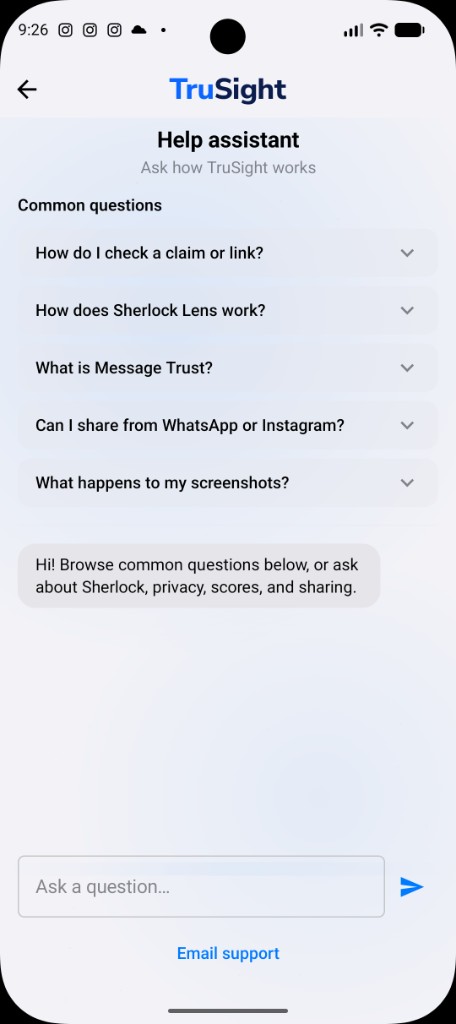
Start in the app: Settings → Help. If you still need us, write to info@smitten.co.in with the app version, the device, and a screenshot of what went wrong.
Getting started
Get TruSight on Google Play. iOS is coming soon. The current version is free, with no ads. TruSight is for adults aged 18 or older.
Sign in with Google, Apple, email, phone or Microsoft, depending on your platform. Keep the same method if you later request deletion.
Give TruSight something you’re unsure about. On Android, use the optional floating Lens, share, paste, upload or camera scan. On iPhone, use sharing, Shortcuts, the Action Button, paste, upload or camera scan.
Using TruSight
A message, claim, video, voice note, document, ID, product label, or legal language in a document you submit.
What can I check?Start from the thing in front of you. Sherlock figures out what needs investigating.
How it worksSee the finding, the evidence, the sources and what could not be confirmed.
See resultsCheck types
Share, paste or upload a WhatsApp, SMS or email. TruSight examines the content you choose to submit for impersonation, urgency, payment and scam signals. It does not read your inbox or monitor chats.
Paste a headline, forward, post or link. TruSight identifies the checkable claim, gathers evidence and shows how strongly that evidence supports or contradicts it. If no reliable on-claim evidence exists, the packet can be empty rather than padded.
Share a supported video link, upload a clip or capture a short recording. TruSight examines what is being claimed separately from signals in the footage. A media scan is a signal, not forensic certification.
Share the voice note or audio file into TruSight from the app where you received it. TruSight can transcribe what was said, route checkable content to the appropriate investigation, and show available voice-authenticity signals separately. It does not identify the speaker through biometric voice recognition.
Upload a photograph, scan, PDF or DOCX file. TruSight reads the visible content, checks internal consistency and runs supported issuance or registry lookups where available. Results are structured estimates, not legal proof of authenticity.
Submit an identity document you have a lawful reason to examine. TruSight reads visible fields and runs the supported issuance and consistency checks available for that document type. They should never be the sole basis for denying someone housing, employment or credit.
Photograph a pack and TruSight reads product details, claims and nutrition information where they are visible. A photo often cannot confirm authenticity on its own — and the app says so. This is not medical advice.
It can help you read legal language in a document you submit. On some identity checks, where that screening is available, it may also look up reported FIR and court records from a name and address. That is not legal advice, not a background check, and not a finding of guilt or innocence. An empty result does not mean no records exist anywhere in India. Talk to a qualified lawyer before acting on anything that matters.
Privacy & data
No. It only sees the text, screenshot, link or file you choose to submit. There is no background monitoring, no silent access to chats, and no SMS inbox or contacts access. Message and claim checks do not use GPS. A product pack scan may ask for approximate country to apply label rules; you can deny it and still run the check.
Nothing is investigated unless you send it. Staged uploads commonly expire within hours, and short-lived job records ordinarily expire within 24 hours. Completed message-job records, share links, feedback and the de-identified Truth Vault have separate limits described in the privacy policy. You can request deletion of account-linked data through in-app Settings or data deletion.
Accuracy & limitations
Yes. Results are informational, not authority. AI can be wrong or incomplete. Read the sources before you act — especially on health, legal, financial or safety matters. Scores are not proof.
You send something in. TruSight identifies what needs checking, gathers the relevant sources or signals, and shows what it found — including what could not be confirmed. For claim checks, the Evidence Engine admits the packet before the advocates and judge produce a score. See how it works.
Account
19 in total, including Hindi, Hinglish, Telugu, Tamil, Malayalam, Bengali, Kannada, Punjabi, Gujarati and Marathi, alongside English — plus Chinese, Japanese, Russian, Arabic, Spanish, French, Korean and Portuguese.
The current version is free to download on Android, with no ads. iOS is coming soon. TruSight is for adults aged 18 or older. Sign-in may use Google, Apple, email, phone, or Microsoft, depending on your platform.
Security
Read our security approach, then report an issue to info@smitten.co.in. Give us time to fix it before public disclosure.
Contact
info@smitten.co.in. Include the app version, the device, and a screenshot. For privacy, deletion or grievance, put that word in the subject line.